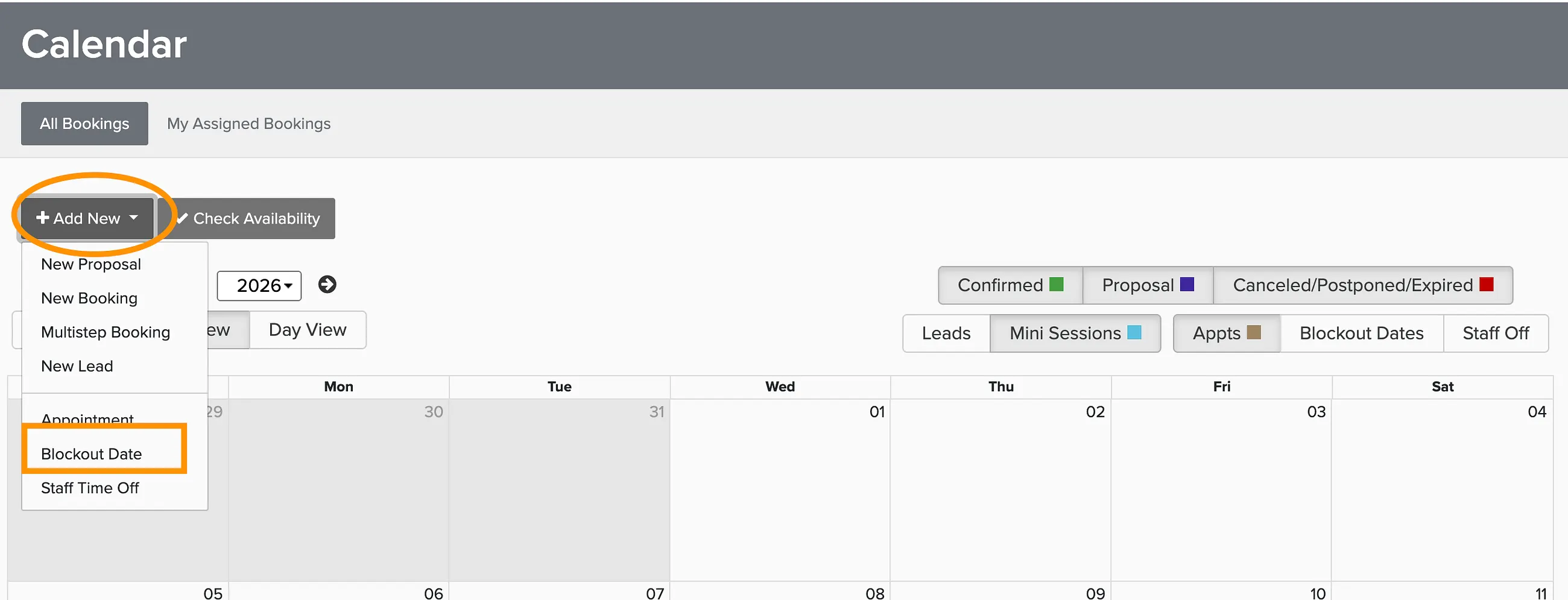
Availability settings control when clients can request or book your services — both through online booking and when you're building proposals. You can set hours for your whole business, then narrow them down for individual packages if needed.
Business-wide availability
Start here. These hours act as the default for everything in your account — if a package doesn't have its own availability rules, it falls back to these.
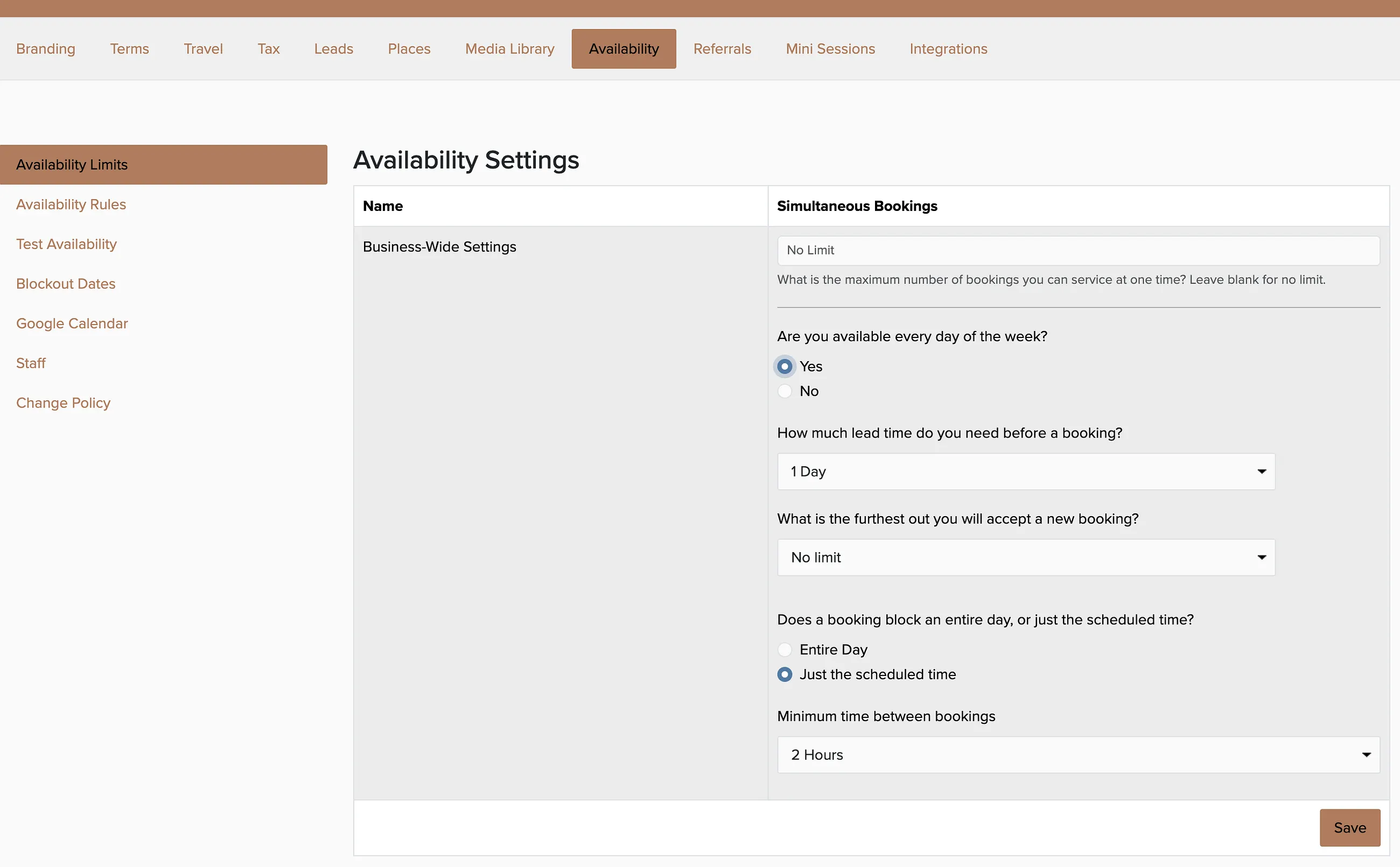
Scroll down on the Availability page to find per-package settings.
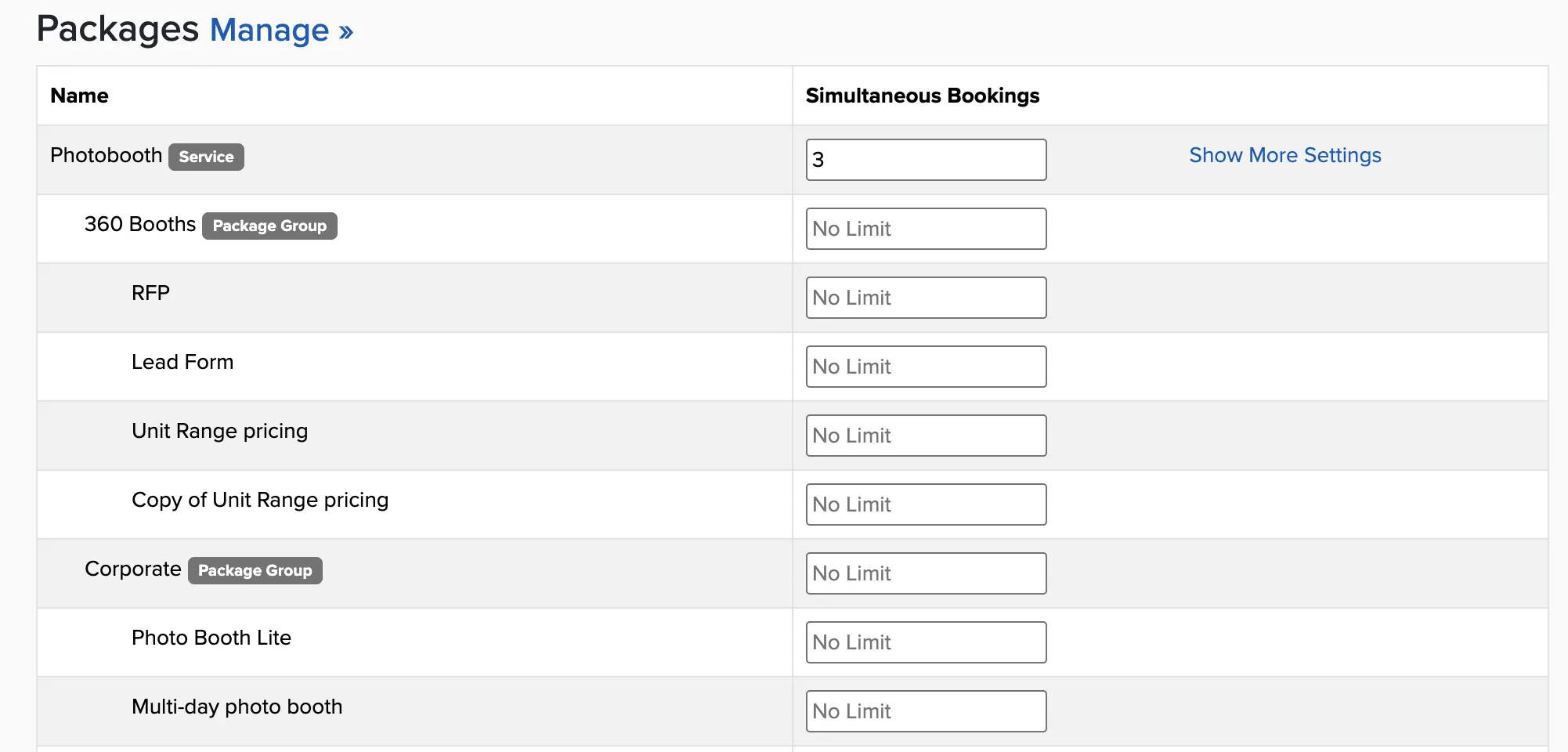
Package-specific availability
Package availability mirrors the structure of your Package Manager — organized by Service, Package Group, and Package. You can set limits at any level. For example, setting a booking limit of 3 on a DJ Service means you can book up to 3 packages or any combination of packages within that service.
Blocking out specific dates
Business hours handle your regular schedule. For one-off unavailability — a vacation, a holiday, a personal commitment — use blockout dates. Any date you block out prevents new bookings from landing on it, regardless of your normal hours.
You can also connect your Google Calendar so that events there automatically block your availability in Check Cherry. That way if something personal is already on your calendar, you won't accidentally double-book yourself.