If your Zapier integration is not working as expected, start by enabling enhanced logging to see what is happening.
Enabling Enhanced Logging
Manage → Business Settings → Integrations
Go to Integrations.
Click on your Zapier integration.
Enable Enhanced Logging.
Trigger the action that was failing.
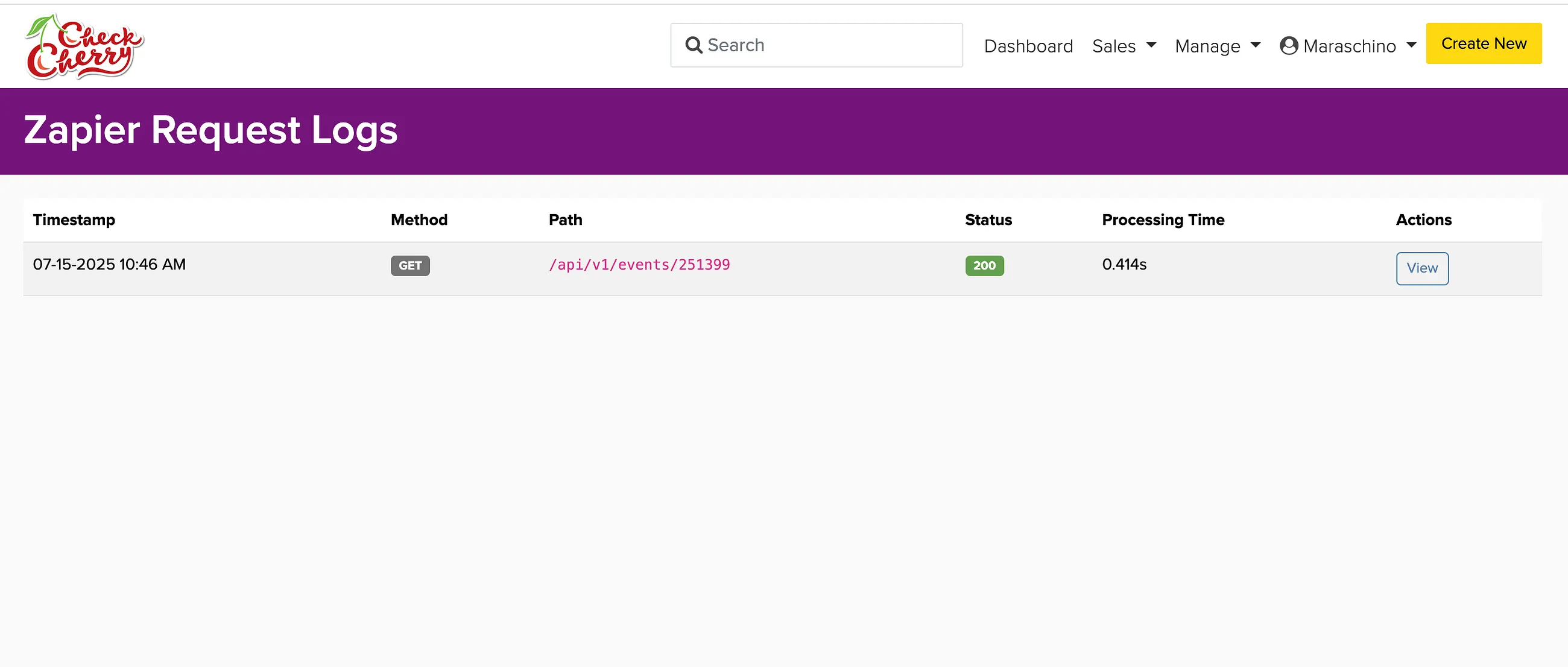
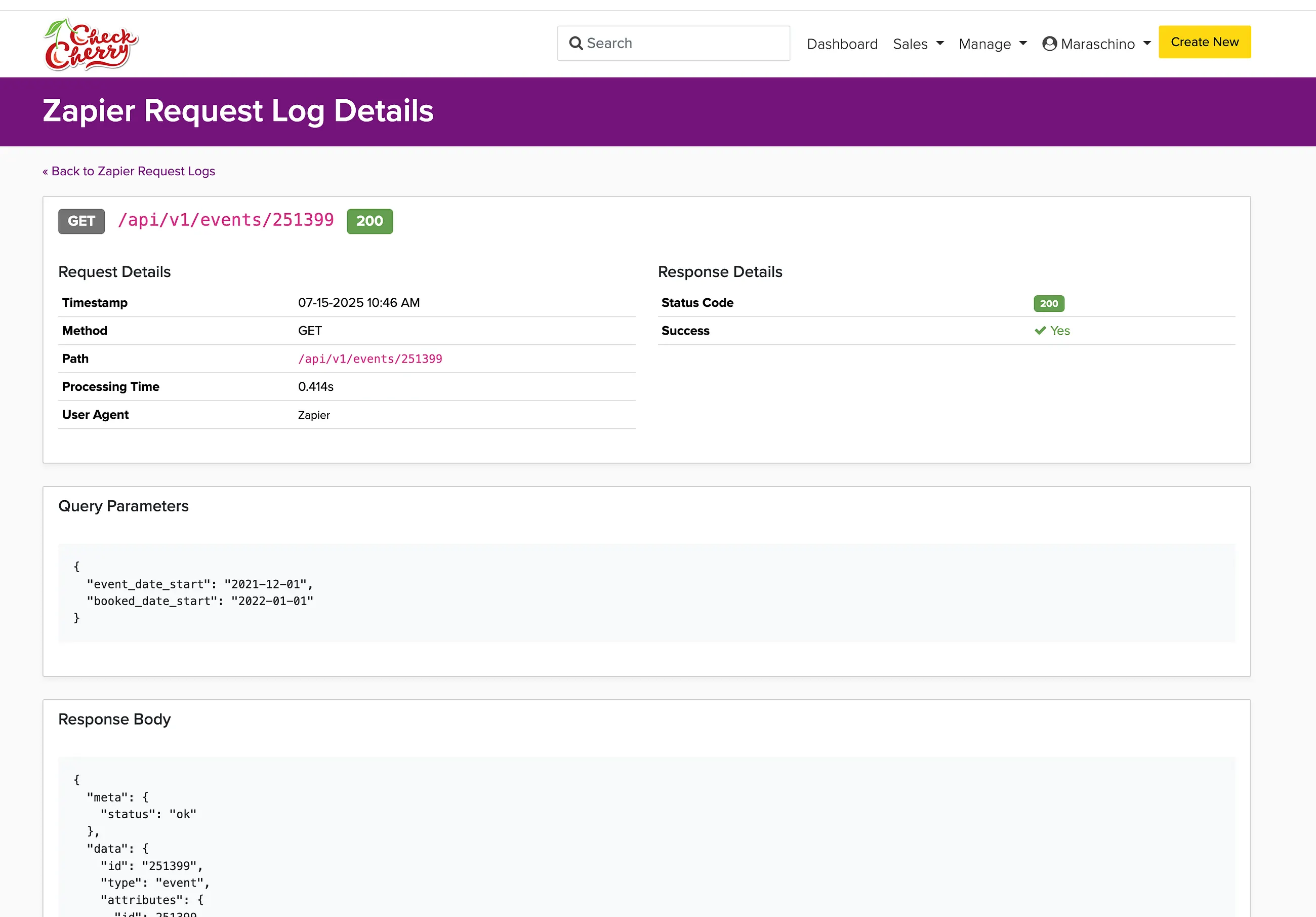
Check the logs to see what went wrong.
Enhanced logging stays on for one week and then turns itself off automatically.
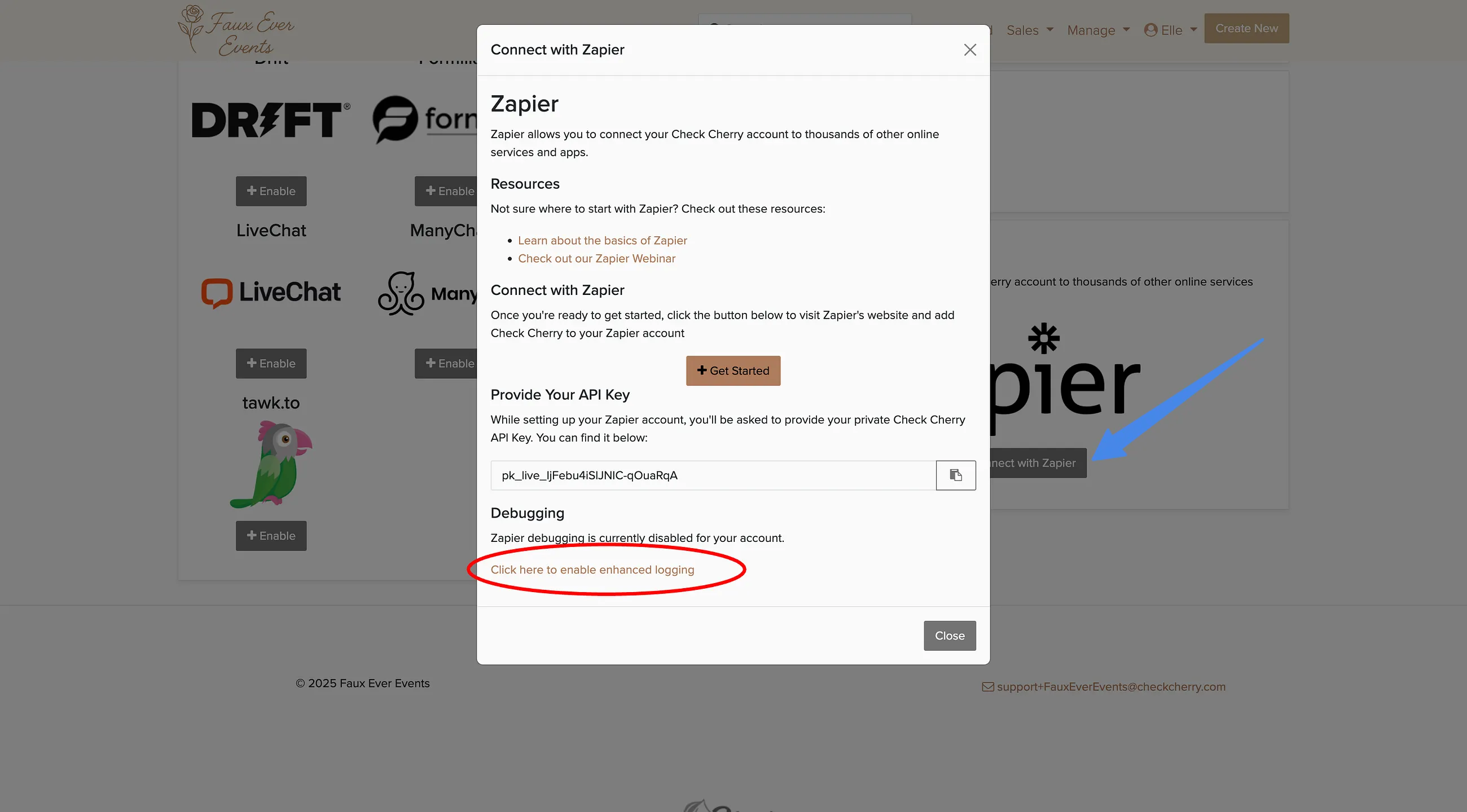
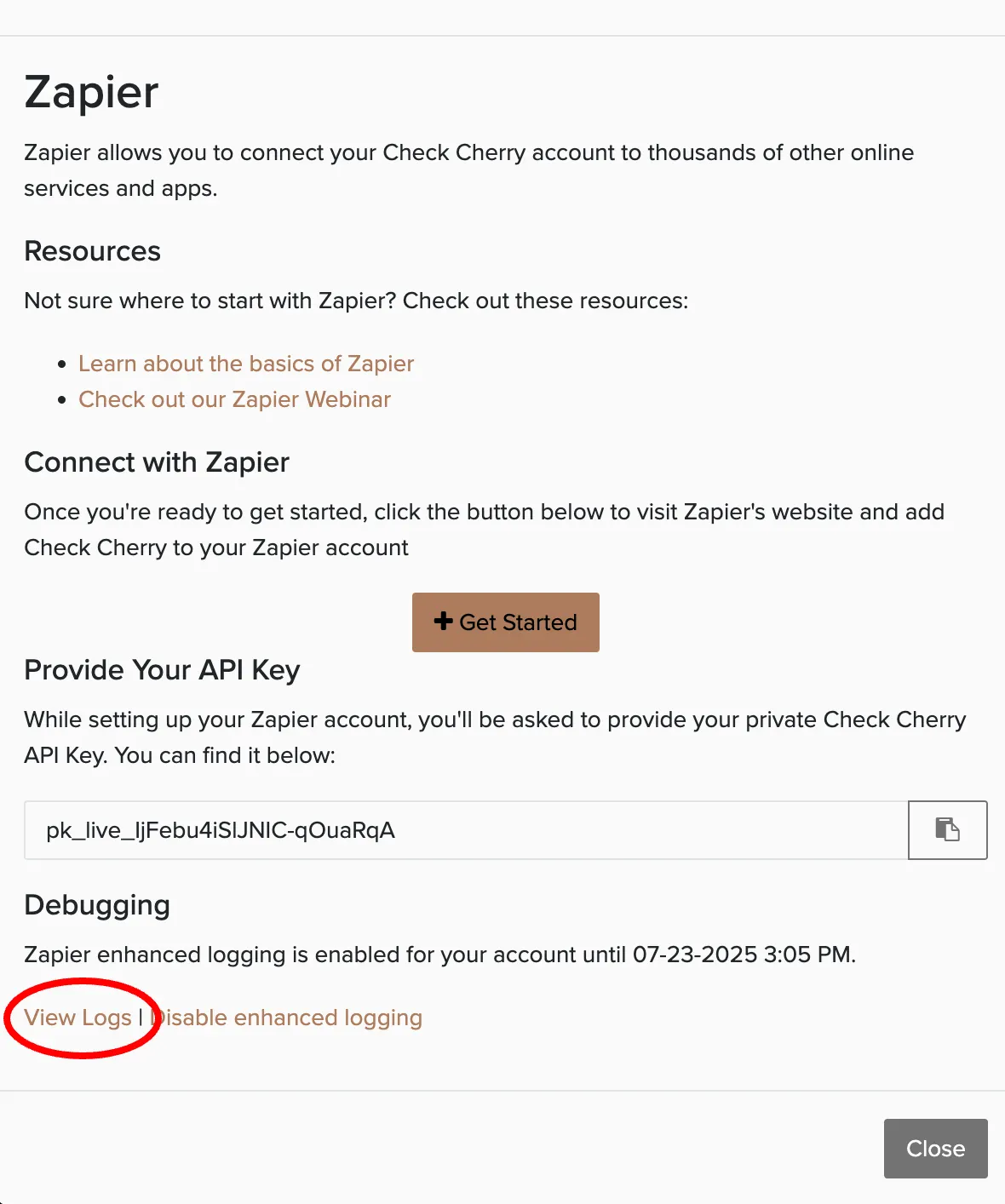
The logs show the data being sent and any error messages. Chat with us if you need help interpreting them.
Check the trigger is the one you want
A Zap that never fires is often listening for something Check Cherry doesn't send. Confirm your trigger against the full list in Automating Check Cherry with Zapier.
New leads are delayed about a minute before the trigger fires, and leads from an incomplete booking are delayed roughly twenty minutes. If a Zap looks slow, give it a few minutes before assuming it's broken.