You can't bundle packages together, but you can attach add-ons automatically to a package so clients get both items when they book the package. For example, when someone books your 360 photo booth, you might want to automatically include the premium lighting add-on.
How to automatically attach add-ons
Manage → Packages → Select a package → Settings
Go to Packages and select the package you want to modify.
Click the Advanced tab.
In the Add-ons section, check the add-ons you want to include automatically.
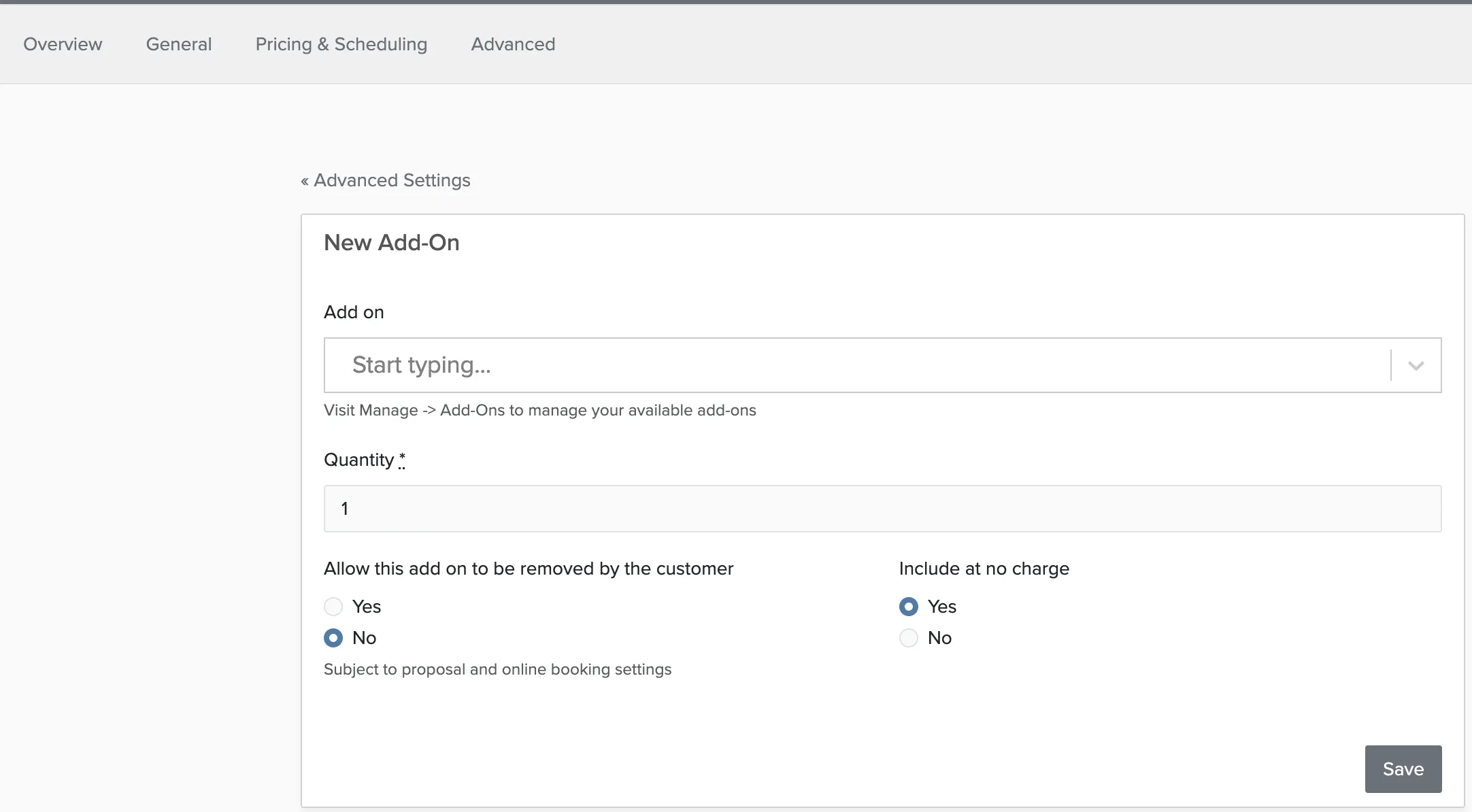
Set the options for the Add-on.
Save your changes.
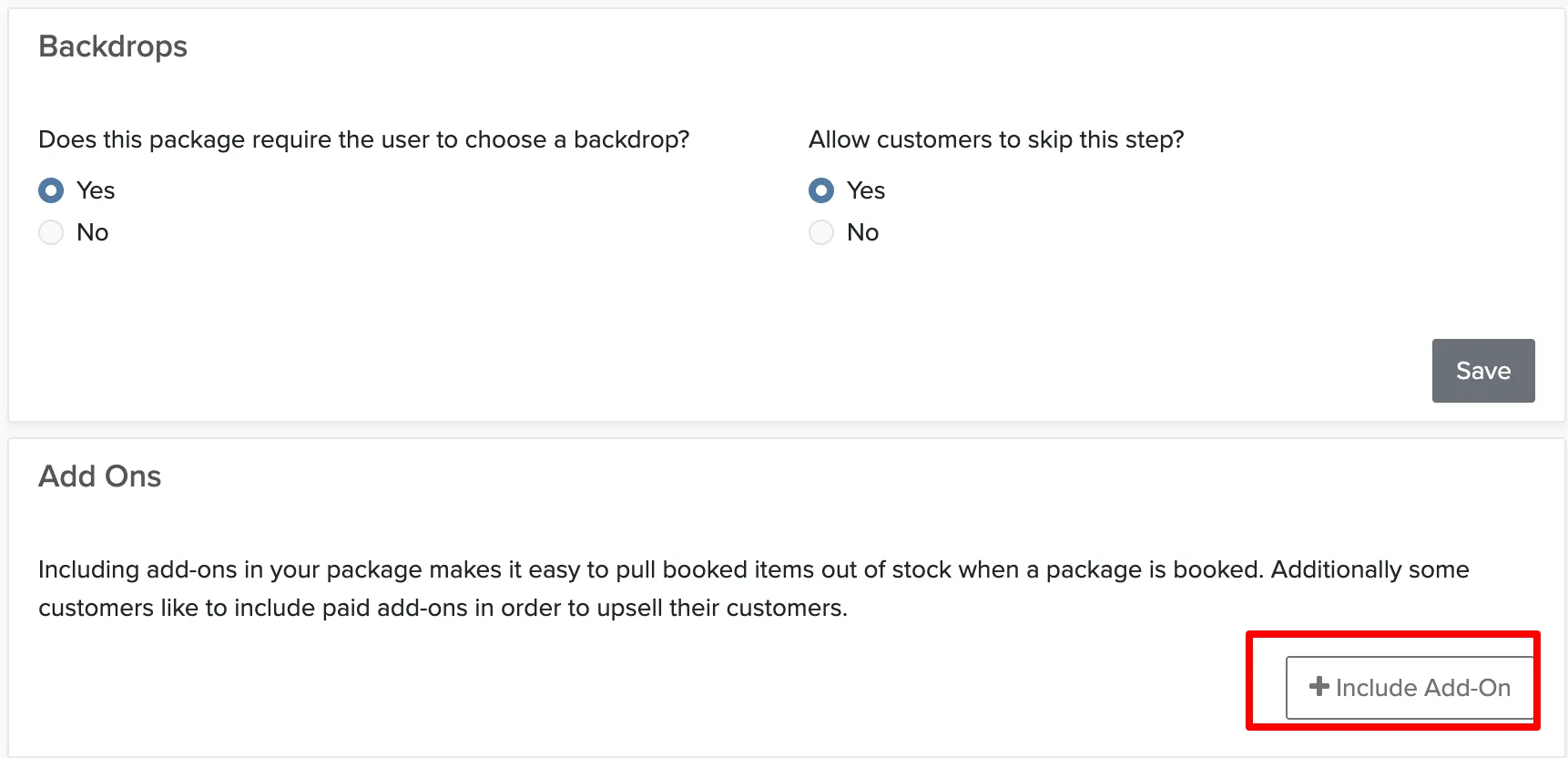
Set the options on the Add On:
When clients book this package, the selected add-ons will be added automatically to their booking. The add-on prices are included in the total, and clients can see what's included in their proposal or booking confirmation.
This works well for add-ons that are always needed with a particular package, like lighting for photo booths or sound equipment for DJs. For optional extras, leave them unchecked so clients can choose.