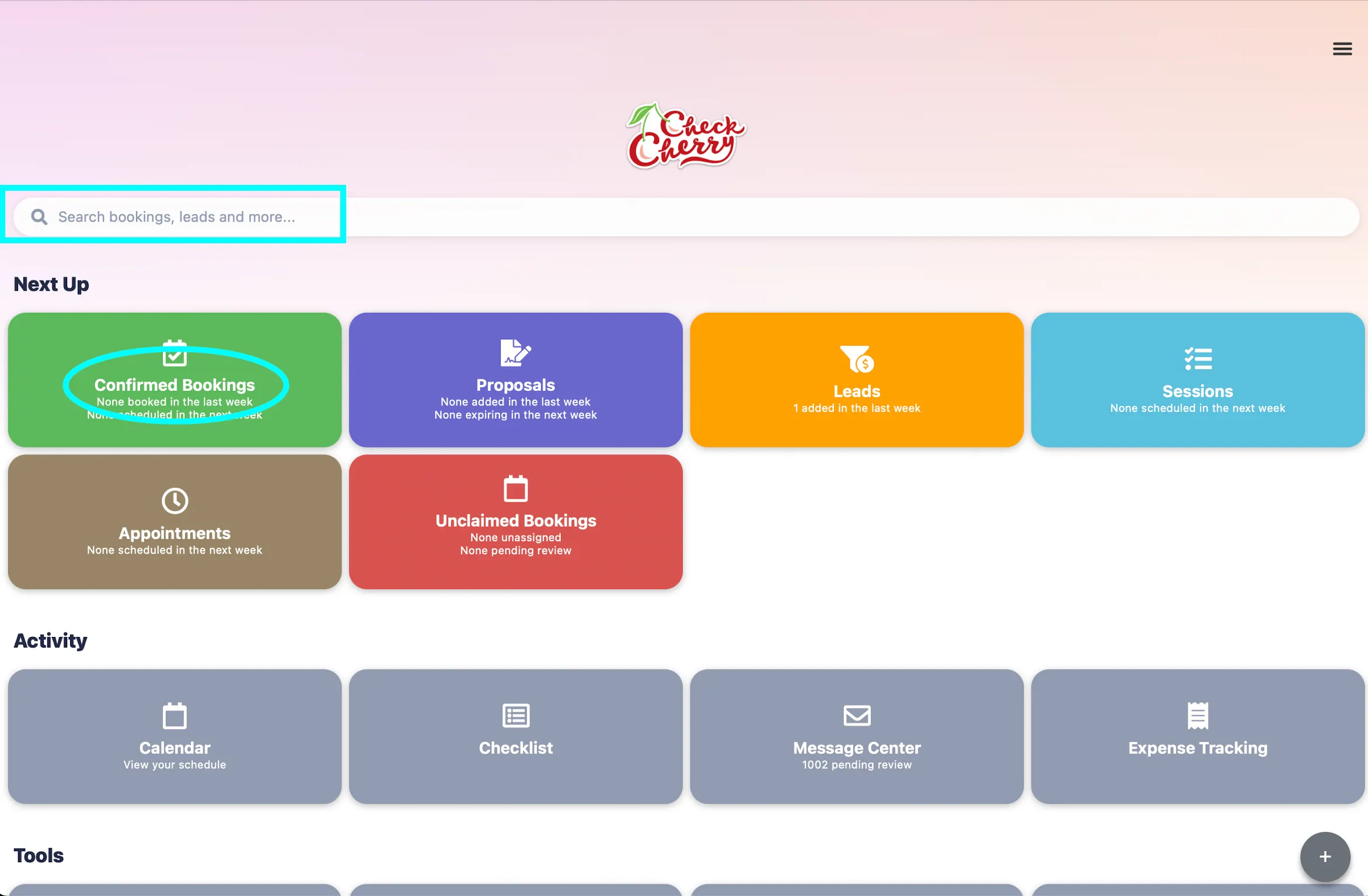
Start by going to the booking or proposal you want to duplicate
You can search for the booking/proposal using the global search bar, or tap the Confirmed Bookings or Proposals button.
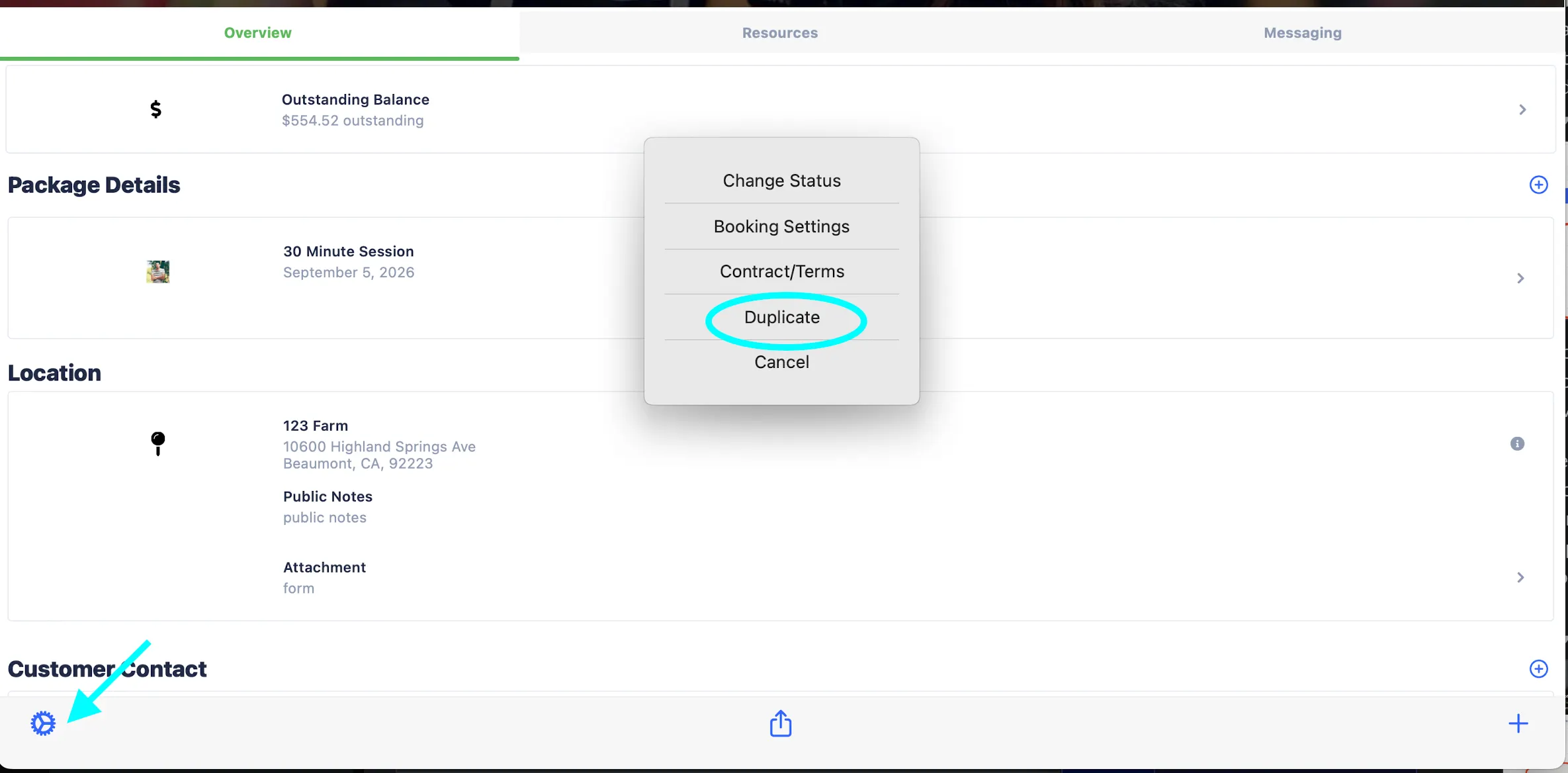
In the booking overview, tap the settings gear and select Duplicate
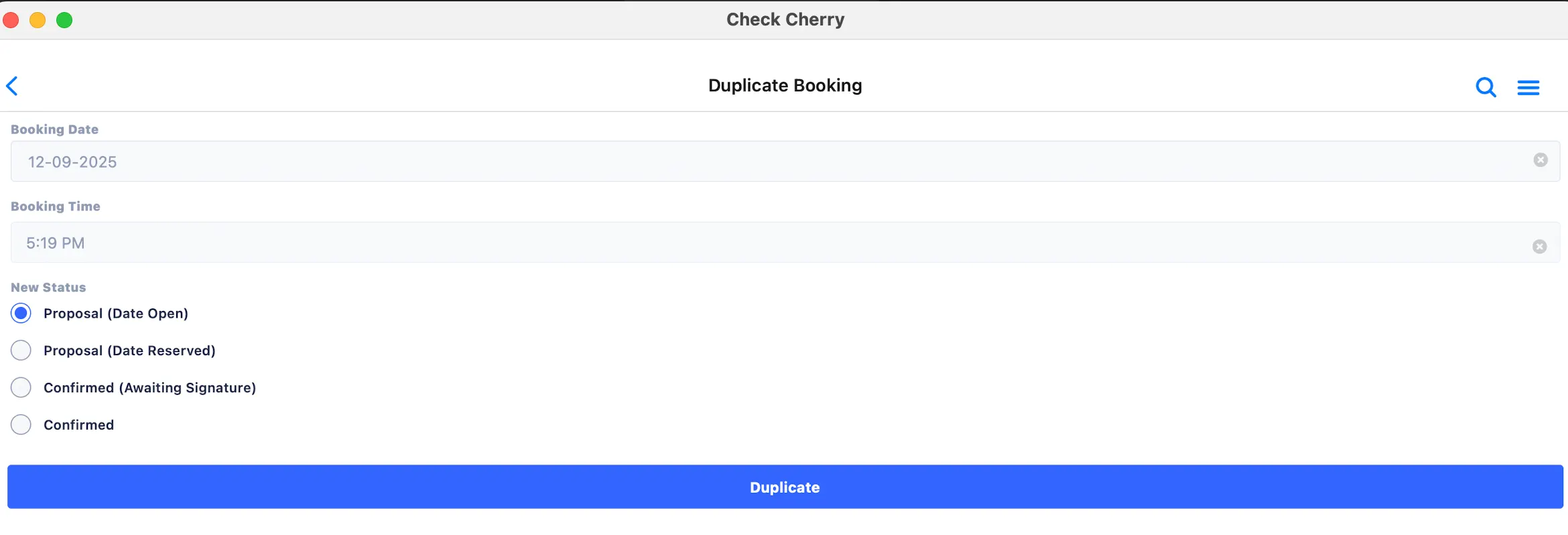
Set the new event date & status (Confirmed, Proposal Date Reserved, Proposal Date Open, or Confirmed Awaiting Signature)