Some types of event need one staff member and others need multiple. Check Cherry lets you set the number of staff required either on a package or on an individual booking.
Setting the default number of staff for a package
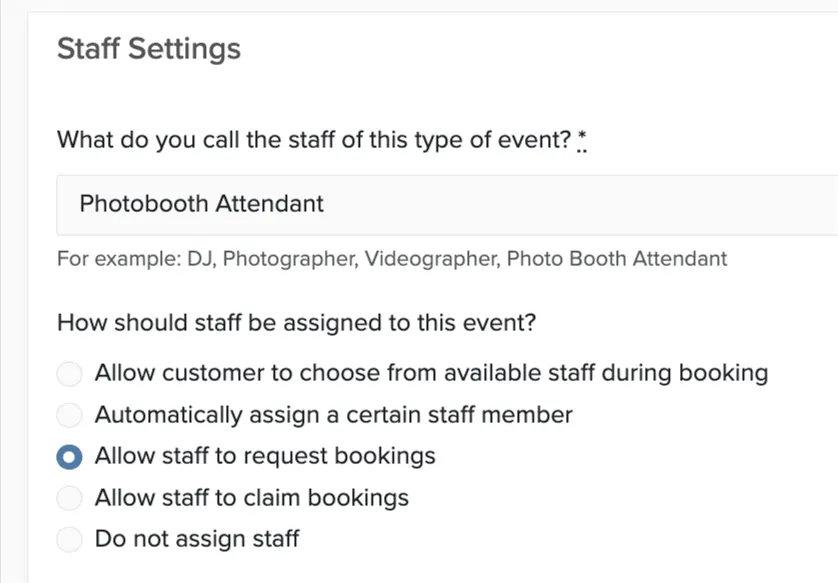
The Staffing panel only appears on packages in a service that uses one of these staffing modes:
- Allow staff to request bookings
- Allow staff to claim bookings
- Do not Assign Staff. If your service uses a different mode, you won't see this option on the package's Advanced tab.
Every new booking of that package starts with this number.
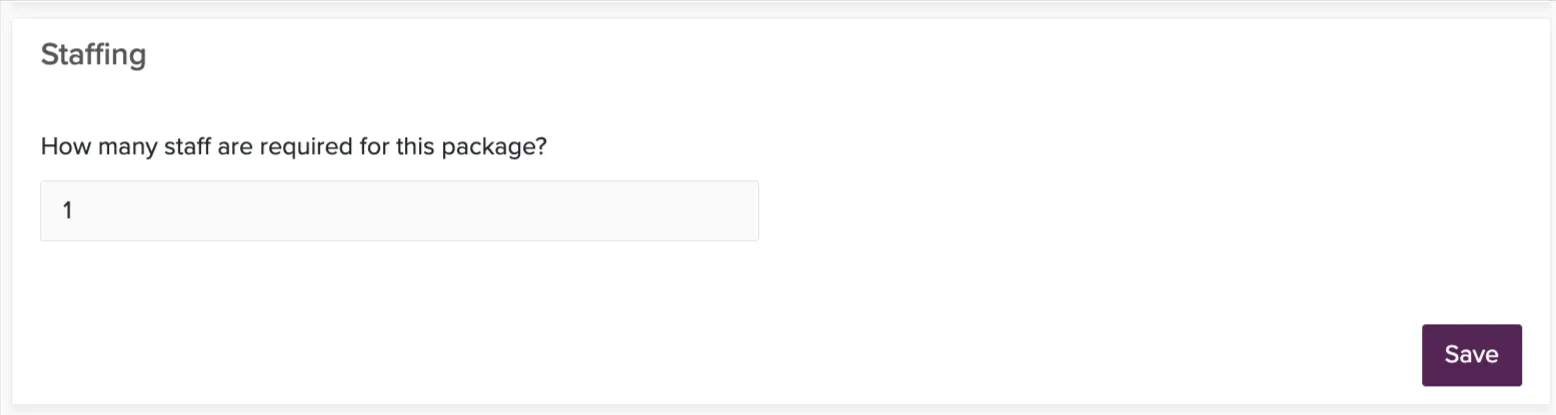
Overriding it on one booking
Each package on the booking has its own How many staff are required for this package? field. Leave it blank to use the package default, which shows as the greyed-out placeholder. The override is available on every package on the booking, regardless of staffing mode.
Where the count shows up
Each package card on the booking's Staff page and in Unassigned Bookings carries a badge reading something like 1/2 filled. It turns green once the package has everyone it needs. The badge counts people, not assignments, so one person can only ever fill one spot.
What the count controls
- A package stays in Unassigned Bookings until it is fully staffed, instead of dropping off the list as soon as one person claims it.
- Staff can claim or request a package only while spots remain. Once it is full, claiming it returns "This package has already been fully staffed."
- You are not capped. Adding someone manually, or approving a request, can go past the required count when you want a third person on a two-person package.