Updating prices or settings on dozens of backdrops one at a time is tedious. Bulk edit lets you select a group and change them all at once — pricing, categories, package associations, and more.
Manage → Backdrops
Go to Backdrops.
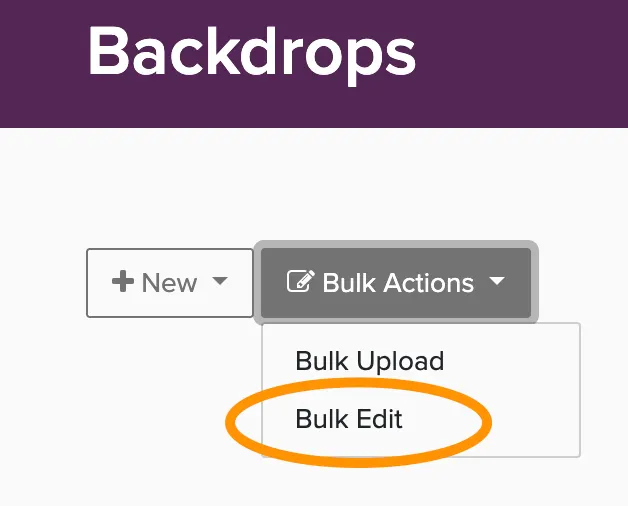
Click the Bulk Actions button
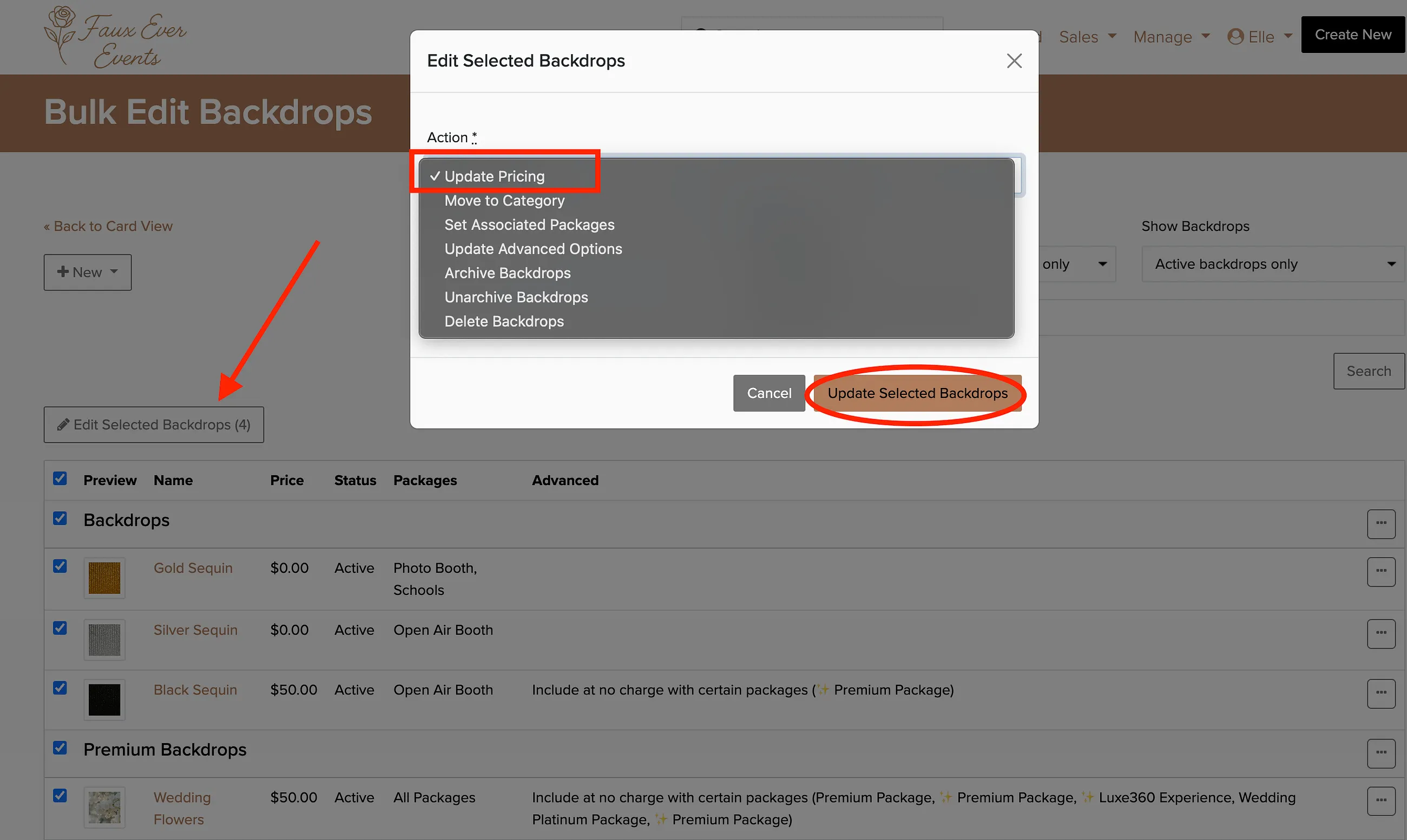
Select the backdrops you want to change using the checkboxes.
Click Edit Selected Backdrops.
Choose the action you want to take and apply the changes.
What can I bulk edit?
- Update Pricing — change prices across multiple backdrops
- Make taxable — toggle tax collection on or off
- Move to Category — organize backdrops into different categories
- Set Associated Packages — control which packages include these backdrops
- Include at no charge with certain packages — make backdrops free with specific packages
- Lead time requirements — mark backdrops that need advance notice
- Backdrop Gallery Widget visibility — show or hide in your website gallery
- Archive/Unarchive — remove from or restore to active use
- Delete — permanently remove backdrops
Use bulk edit when setting up new backdrop categories or adjusting prices across your entire collection. It's much faster than editing each one individually.