When one event spans several locations, such as a ceremony at one venue and a reception at another, your client usually doesn't want two contracts and two invoices. You can keep everything on a single proposal by adding a package for each location and listing the locations in the public notes. They sign once and pay from one invoice.
Plan the proposal
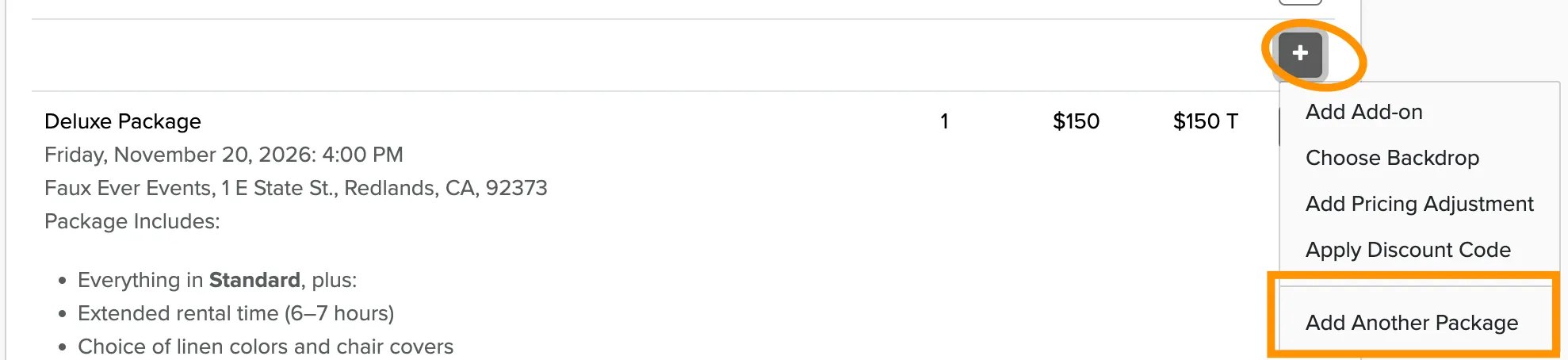
Start one proposal for the client, using the first location's date, time, and package. Every additional location becomes another package line on that same proposal. Each line has its own date, time, and price, so the total stays easy to check.
Add a package for each location
A proposal or booking can only hold a single venue, so write each location into its package description instead. That way the invoice shows which package belongs to which location.
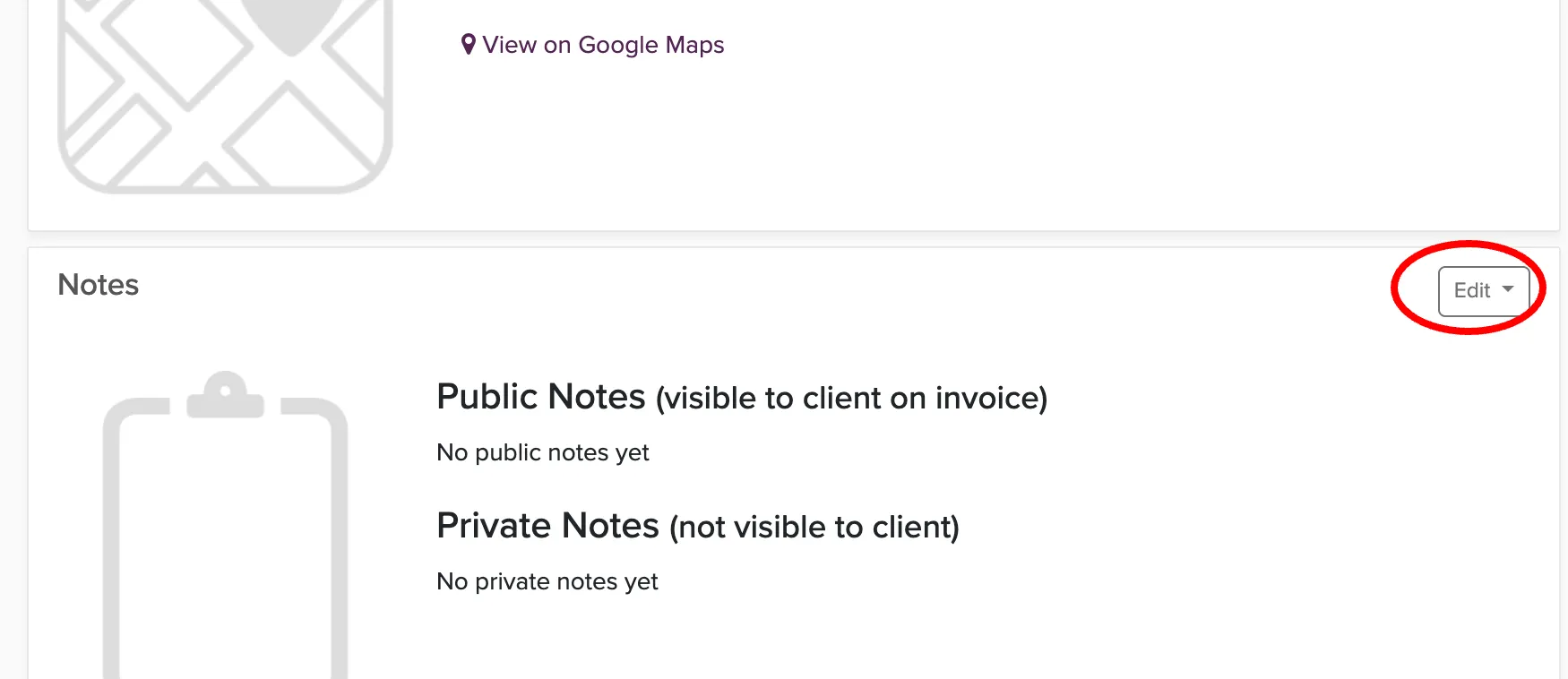
Alternatively, list the locations in the public notes
Alternatively, you can add each location to the proposal's public notes, which your client can see. Include the venue name, address, and time for each location. Your client gets a clear, readable schedule in one place.
Once the packages and notes look right, review the proposal. Check that every location, time, and package is included and that the total looks right. Then send it to your client.
What your client sees
Your client receives one proposal with all of the locations on it. They sign a single contract and pay from a single invoice, so there is nothing to keep track of across multiple documents. That keeps things simple for the client and for you.