While Check Cherry doesn't have a full website builder, you can still use Check Cherry to take bookings. Check Cherry gives you a shareable booking link and a proposal tool that work on their own — no website required.
Option 1: Share Your Booking Link
Every Check Cherry account comes with a public booking link. Anyone who visits it can browse your packages and book online — no website needed. You can share it just about anywhere:
- Email signature — every email you send becomes a passive booking prompt
- Social media bio — Instagram, Facebook, TikTok, X, and LinkedIn all support a link in the bio
- Linktree or similar link-in-bio page — great if you're sharing multiple links from one social profile
- Google Business profile — clients searching for you locally can book directly from search results
- Text message — when someone inquires by phone or DM, you can send them the link right away
- QR code on printed materials — business cards, flyers, brochures, or signage at events
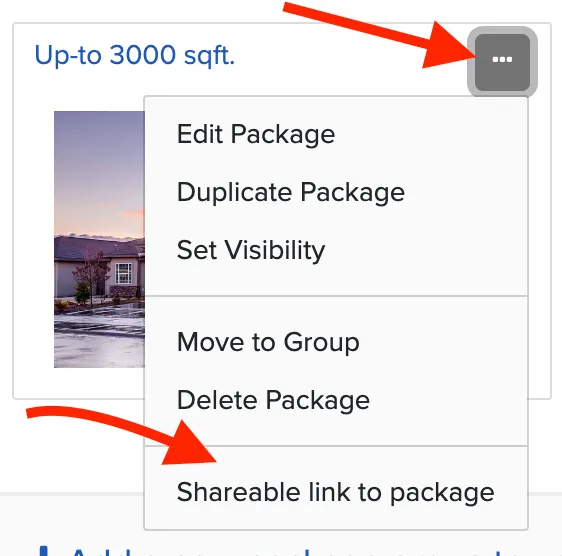
From the Packages page, look for your booking link at the bottom of the page. You can also grab links to individual packages or generate QR codes if you want to point people directly to a specific offering.
Option 2: Send a Proposal
If you prefer a more personal approach, proposals let you send a custom quote directly to a client. You build the offer — choosing the package, add-ons, and pricing — then send it via email. The client opens it, reviews the details, signs the contract, and pays the deposit, all in one place.
This works well for clients who come to you through referrals, social media, or phone calls — situations where someone reaches out before they've seen a booking page.
Option 3: Share Individual Widgets
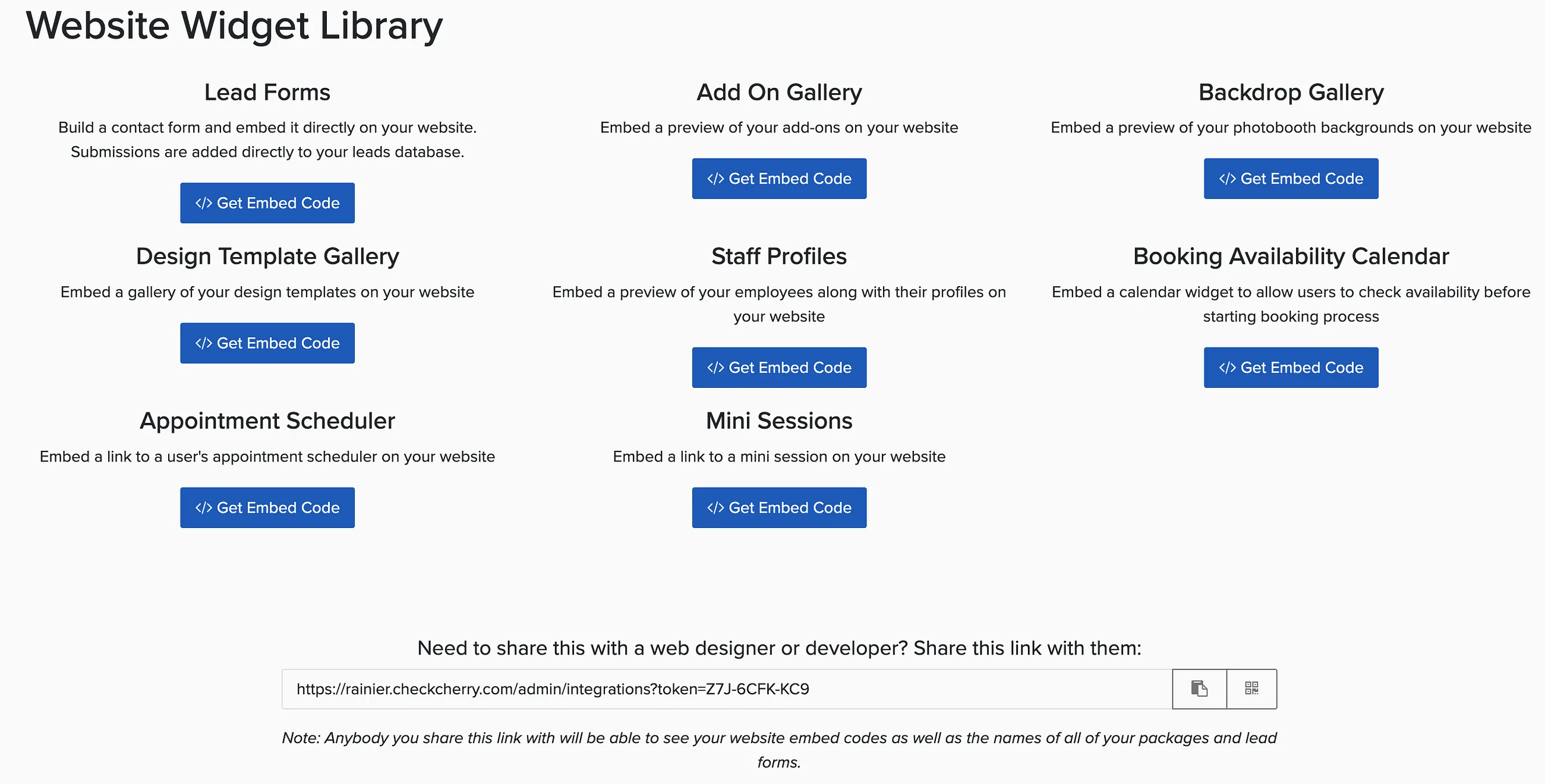
Beyond the main booking link, Check Cherry gives you standalone links for individual widgets — each one shareable on its own. These are the same tools that can be embedded into a website, but they work just as well as direct links:
- Lead capture form — let potential clients send an inquiry without needing to go through the full booking flow
- Add-on, Backdrop or Design Template gallery — showcase your available add-ons so clients can browse before they book
- Appointment scheduler — let clients book a consultation or call directly from a link
Which One Should You Use?
Most businesses use both depending on the situation. The booking link is great for self-service — clients find you and book on their own. Proposals are better when you want to stay involved in the conversation before anything is confirmed. And the individual widget links are handy when you want to send someone to a specific tool without dropping them into the full booking flow.